Mechanic time & attendance
See what each job really cost in labour.
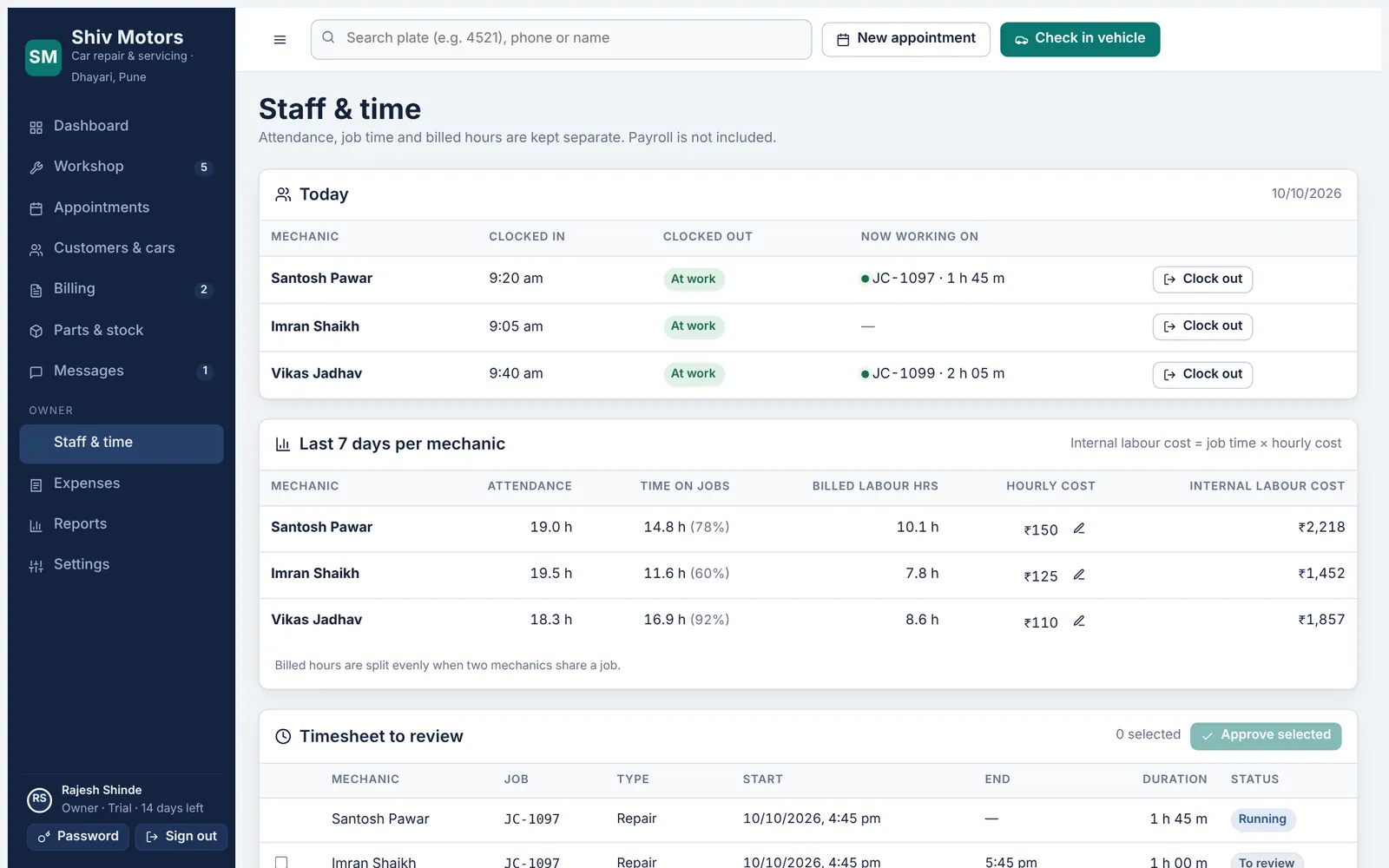
Mechanics clock in when they arrive and start a timer on the job they are working on. Attendance, actual time on each job and the hours you bill the customer are tracked separately, so you can compare them. The owner approves time entries, and the mechanic’s hourly cost turns actual time into a real labour cost per job.
Included in the Growth and Pro plans.
What you can do
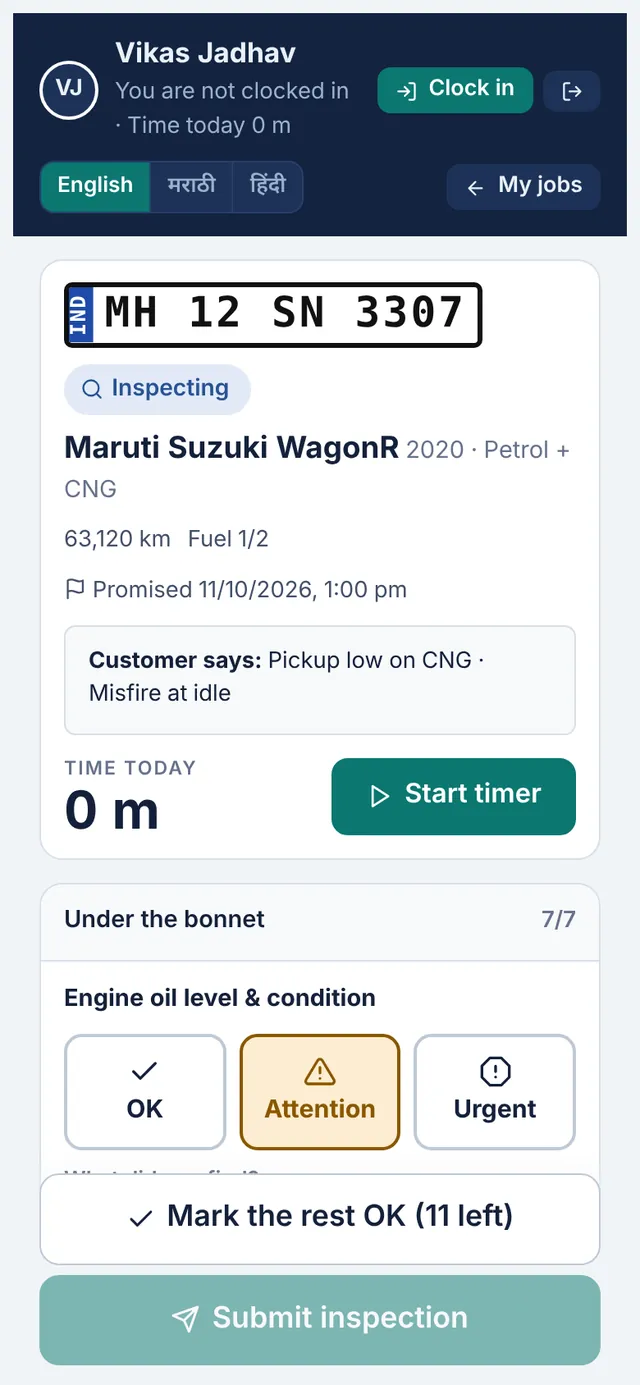
Clock in and out
Attendance from the mechanic’s phone, with time at work today.
Job timers
Start and stop a timer on each job. Inspections stop their timer on submit.
Approve time
The owner reviews and approves finished time entries.
Timesheets
Hours per mechanic per day, ready for wages.
Real labour cost
Hourly cost × actual time, shown in reports, never to mechanics.
Billed vs actual
Compare hours billed to the customer with hours actually spent.
How it works
- Set each mechanic’s hourly cost in Settings.
- Mechanics clock in and run job timers on their phone.
- Approve time entries each day or week.
- Reports show labour cost against labour billed.
Good to know
Which plan includes time tracking?
Growth and Pro.
What if a mechanic forgets to stop a timer?
Running timers have to be stopped before time can be approved, so a forgotten timer is caught at approval.
Do mechanics see their hourly cost?
No. Only the owner sees costs.
Try mechanic time & attendance in your garage
Free for 14 days with every feature. Setup takes about ten minutes: add your mechanics, then check in a car.