Estimates & customer approval
Fewer phone calls, clearer yes and no, and a signature for every approval.
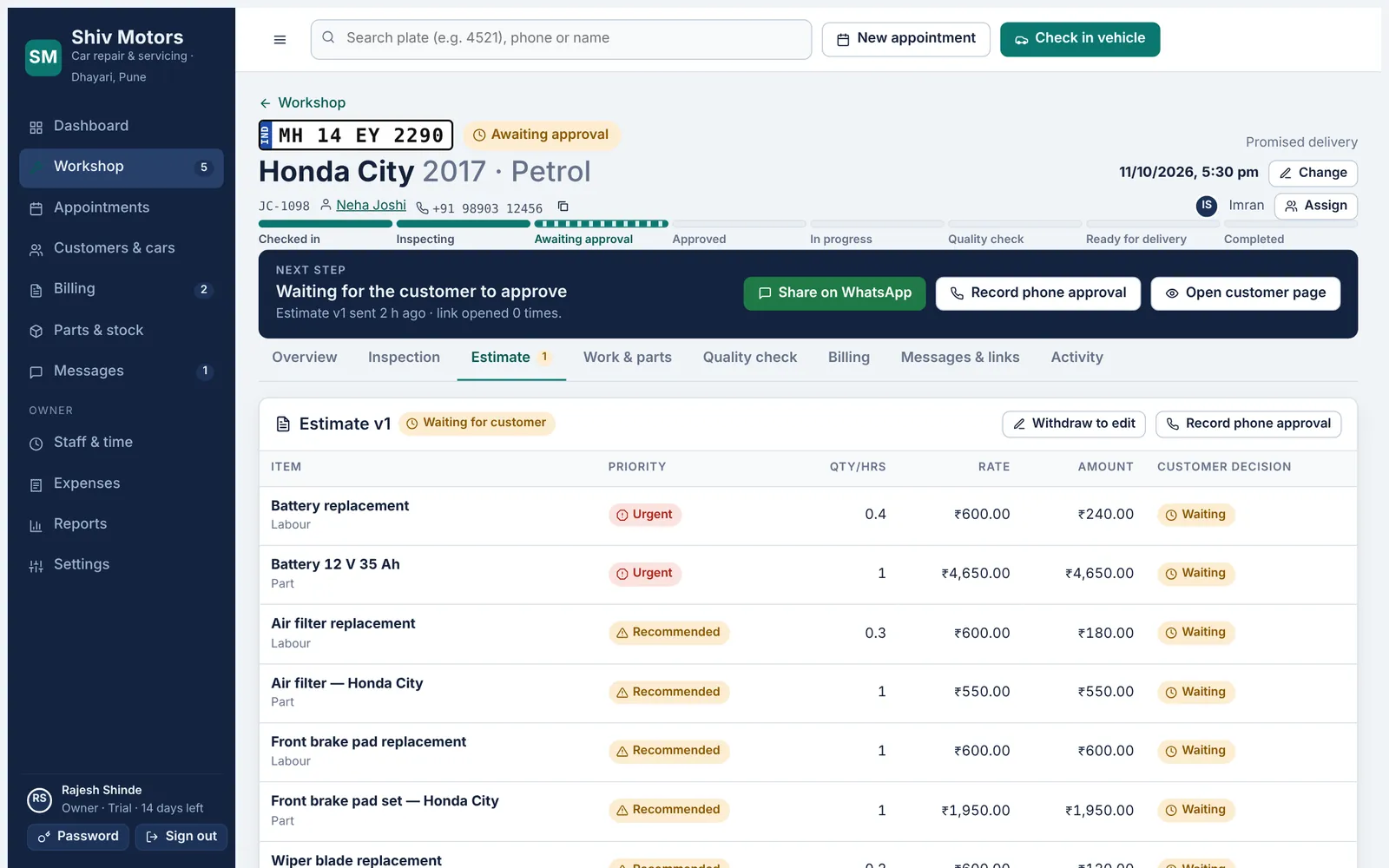
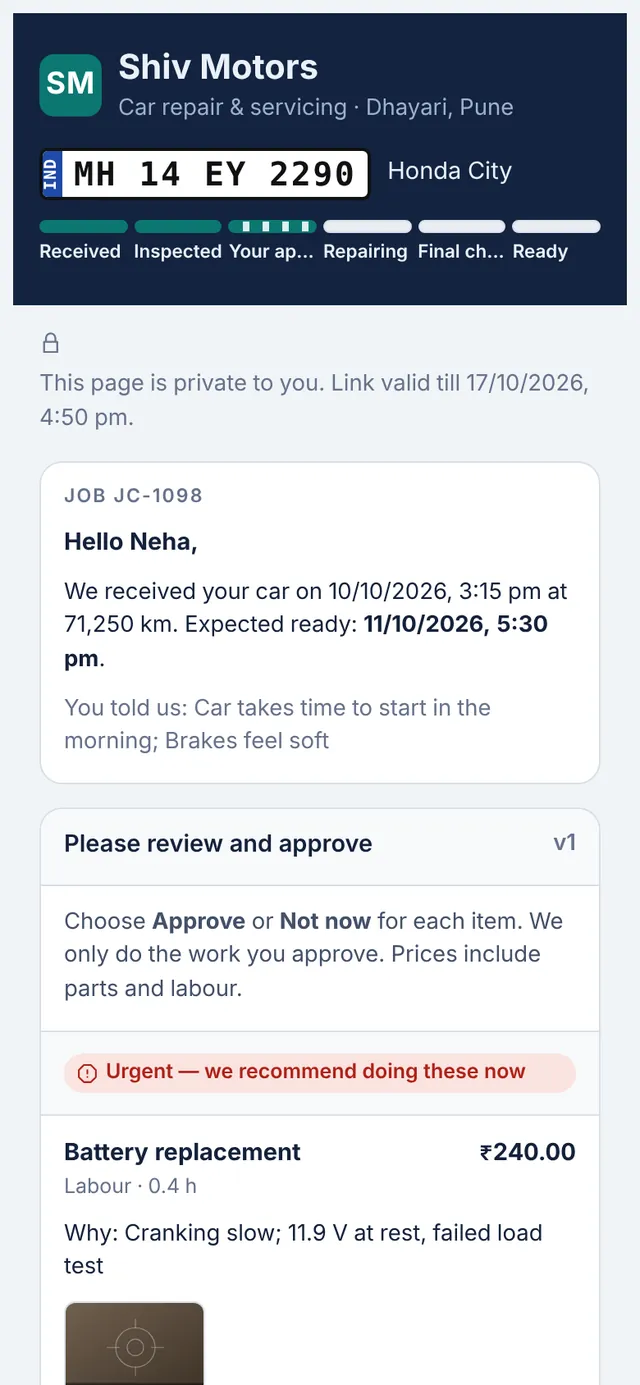
The estimate builds itself from the inspection findings and your service list: labour and parts lines with quantity or hours, rate and discount, each marked Urgent, Recommended or Requested. Send it on WhatsApp with a private link. The customer approves or declines each item and signs on their phone, or you record their approval from a phone call. Declined items are remembered on the car for next time.
Included in every plan, from Starter up.
What you can do
Built from findings
Inspection issues and service templates become lines in one tap.
Priorities
Urgent, Recommended and Requested, grouped so the customer understands what matters.
Versions
Withdraw an estimate to edit it; the customer always sees the latest version.
Item-by-item approval
Customers choose Approve or Not now for each item and sign with their finger.
Phone approvals
Record an approval taken on a call, with the time and who took it.
Declined work remembered
Items declined today are shown again at the car’s next visit.
How it works
- Build the estimate from the inspection.
- Share it on WhatsApp with the private link.
- The customer approves items and signs.
- Approved work becomes tasks and parts are reserved.
Good to know
Is the WhatsApp message sent automatically?
Not yet. The app prepares the message and opens WhatsApp with it filled in; you press send.
How long does the link work?
Seven days by default. You can switch a link off at any time and create a new one.
What if the customer approves only some items?
Only the approved items become work. The rest are saved on the car as declined.
Try estimates & customer approval in your garage
Free for 14 days with every feature. Setup takes about ten minutes: add your mechanics, then check in a car.