Job cards & workshop board
One screen tells you what every car is waiting for.
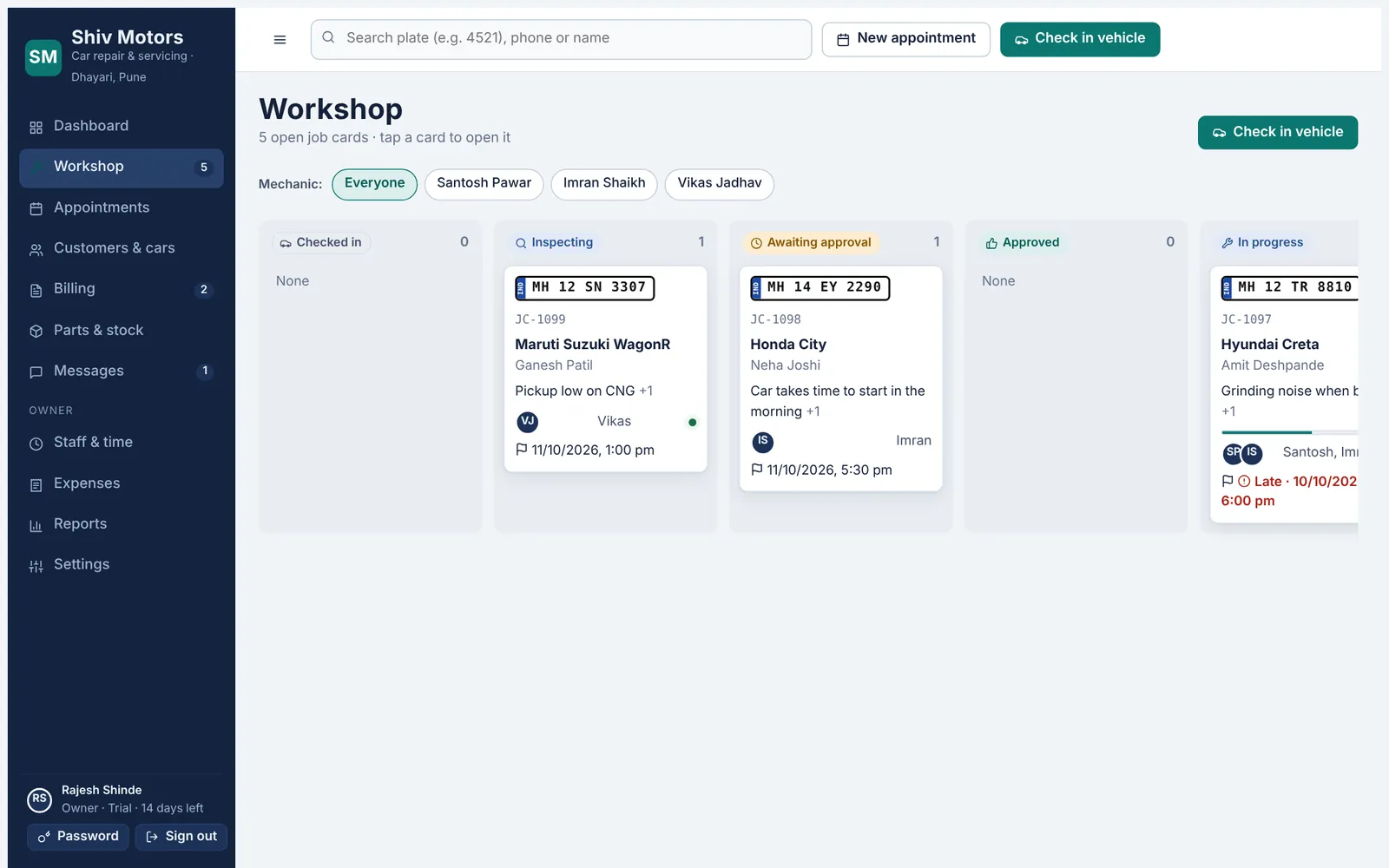
Each car gets a job card that moves through clear stages: checked in, inspecting, awaiting approval, approved, in progress, quality check, ready and completed. The card always shows the next step and the button to do it. The workshop board groups cars by stage and can be filtered by mechanic, and late jobs are flagged against the promised time.
Included in every plan, from Starter up.
What you can do
Clear stages
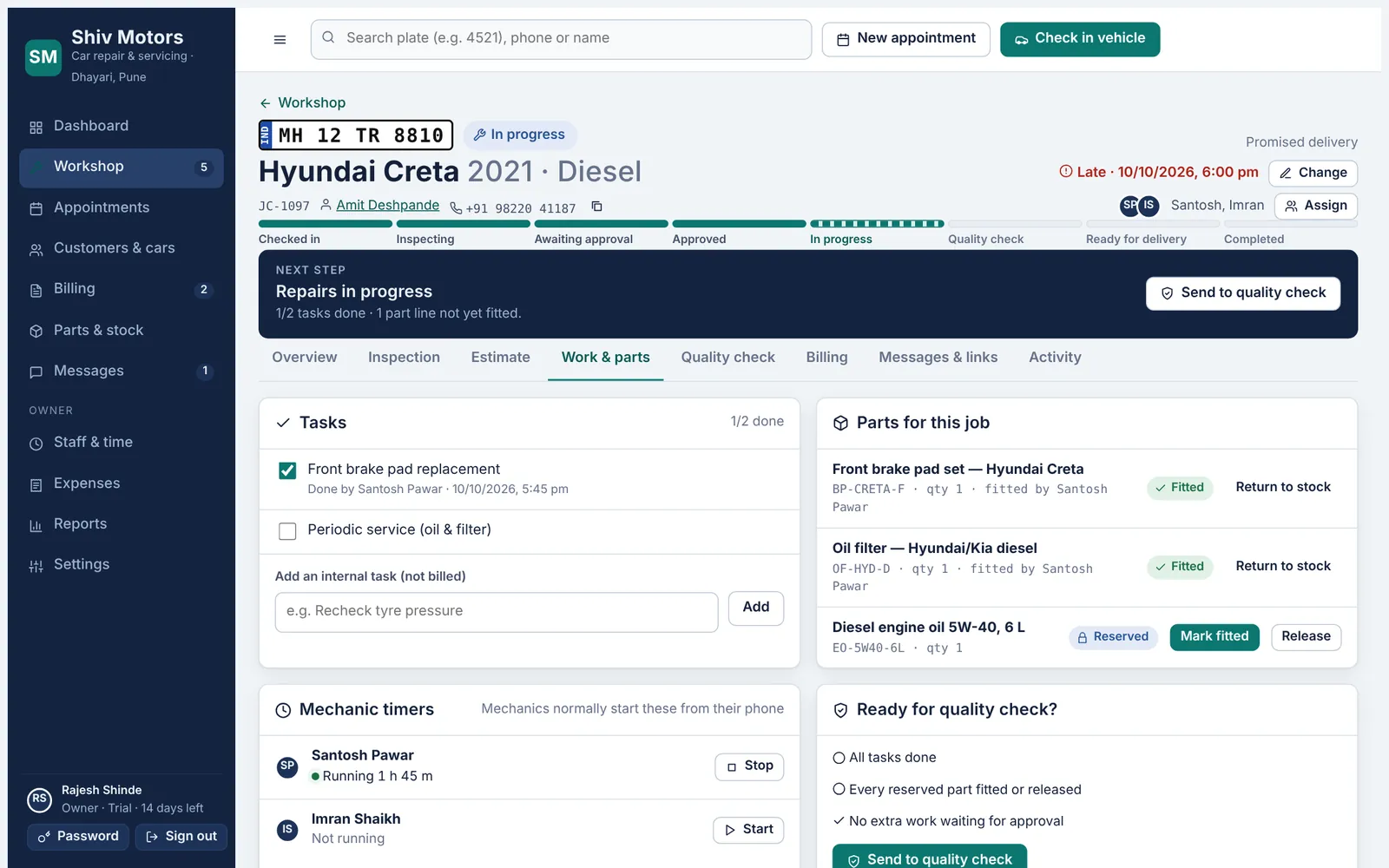
Eight stages from check-in to handover, shown as a progress bar on every job.
Next step bar
The job card tells you what to do next: send the estimate, record payment, hand over.
Tasks from approved work
Approved estimate lines become tasks; parts are reserved automatically.
Assign mechanics
See how many open jobs each mechanic has before you assign.
Late warnings
Jobs past their promised time are flagged on the board and the dashboard.
Activity log
Every change on the job is recorded with time and name.
How it works
- Check-in opens the job card.
- Inspection, estimate and approval move it forward.
- Mechanics tick off tasks and fit parts.
- Quality check, invoice and handover close it.
Good to know
Can a job be cancelled?
Yes, with a reason. Reserved parts are released back to stock.
Can two mechanics work on one car?
Yes. Assign as many mechanics as you need; each sees the job on their phone.
Can I change the promised time?
Yes. The change is recorded and the customer page shows the new time.
Try job cards & workshop board in your garage
Free for 14 days with every feature. Setup takes about ten minutes: add your mechanics, then check in a car.