Payments & day close
Know exactly who owes you, and whether the drawer matches.
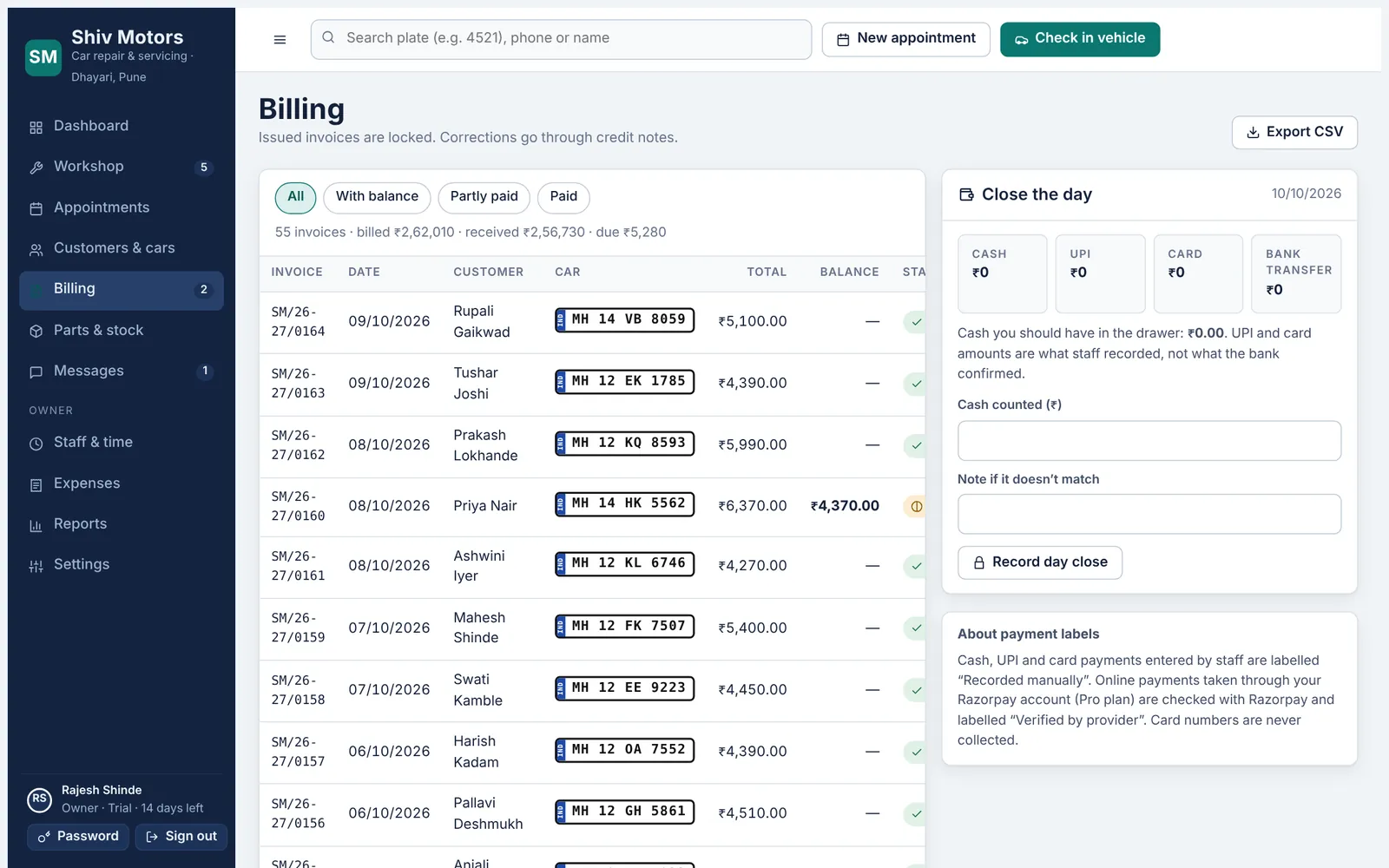
Record cash, UPI, card or bank transfer against an invoice, in full or in parts, with a reference number. Manual payments are always labelled as recorded by staff; online payments through your own Razorpay account (Pro) are marked as verified by the provider. Send payment reminders on WhatsApp, and on the Growth and Pro plans close the day by counting the cash drawer against what was recorded.
Included in every plan, from Starter up.
What you can do
Part payments
Take an advance or pay in instalments; the balance updates every time.
Every method
Cash, UPI, card and bank transfer, with the reference number.
Clear labels
“Recorded manually” and “Verified by provider” are never mixed up.
Payment reminders
A prepared WhatsApp message with the balance and the customer’s link.
Online payments (Pro)
Customers pay from their link into your Razorpay account.
Day close (Growth)
Count the drawer against recorded cash, UPI and card for the day.
How it works
- Open the invoice and tap Record payment.
- Choose the method and enter the amount and reference.
- Unpaid balances appear on the dashboard and billing list.
- At closing time, count the drawer in Close the day.
Good to know
Where does online payment money go?
Straight to your own Razorpay account. AdToro Auto never holds your money.
Can I refund a payment?
Issue a credit note and record the refund; both are kept in the records.
Does the app check that a UPI payment arrived?
Manual UPI payments are recorded by staff after they see the money in their UPI app, and are labelled that way. Online payments through Razorpay are checked automatically.
Try payments & day close in your garage
Free for 14 days with every feature. Setup takes about ten minutes: add your mechanics, then check in a car.