Reports & expenses
The numbers an owner checks every evening.
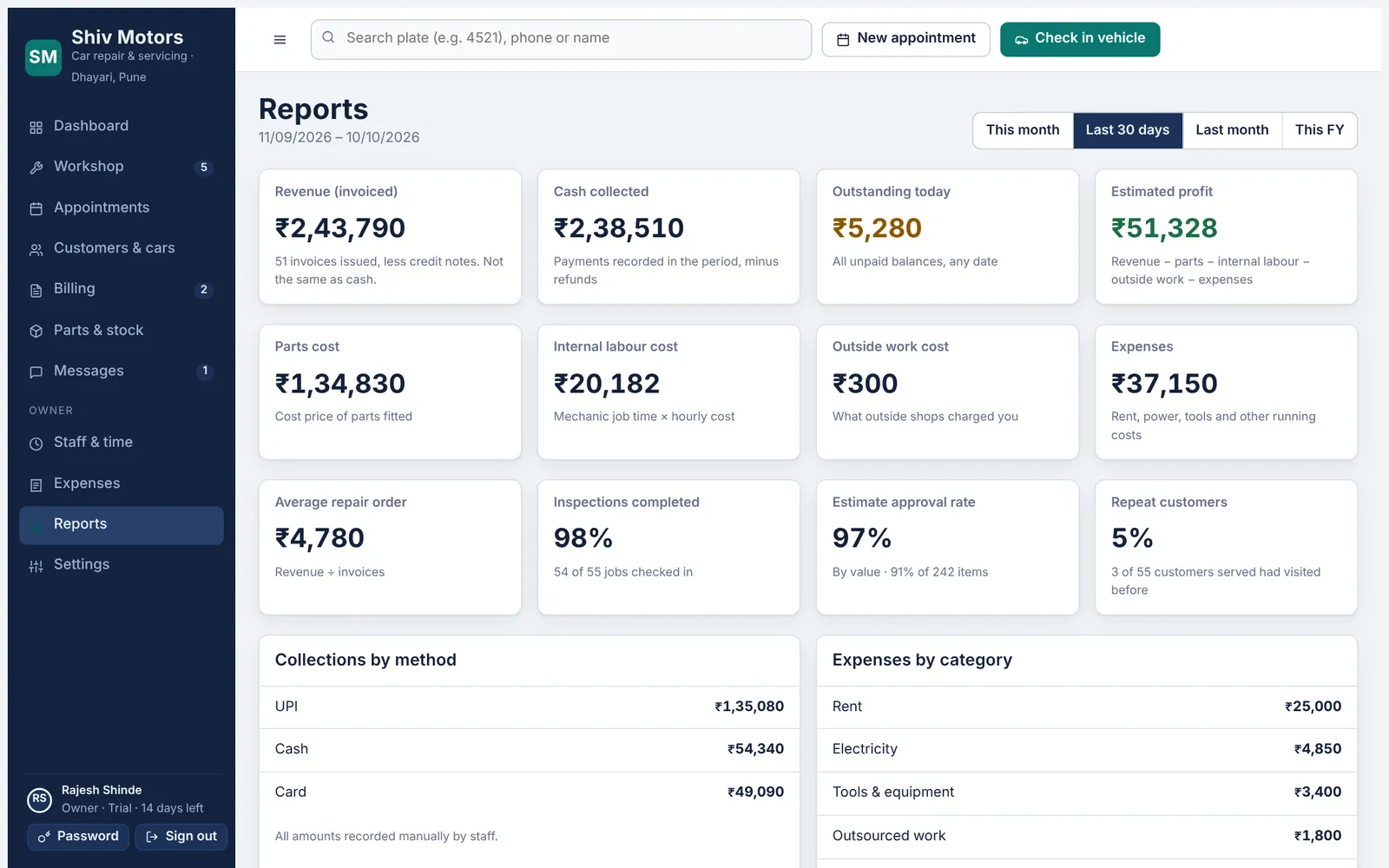
Pick this month, the last 30 days, last month or this financial year and see revenue invoiced, cash collected, what is outstanding today and an estimated profit after parts, labour, outside work and expenses. You also see average repair order, how many jobs were inspected, how much of the estimated work customers approved, and how many customers came back. Record expenses by category so the profit figure is real.
Included in the Growth and Pro plans.
What you can do
Revenue and cash
Invoiced revenue, net of credit notes, and cash actually collected.
Outstanding
Every unpaid balance, whatever the date.
Estimated profit
Revenue minus parts, internal labour, outside work and expenses.
Approval rate
How much of the estimated work customers approved, by value.
Collections by method
Cash, UPI, card and bank transfer for the period.
Expenses
Rent, electricity, tools and more, by category, with void and reason.
How it works
- Record expenses as they happen.
- Open Reports and choose the period.
- Check revenue, cash, outstanding and profit.
- Export invoices and jobs as CSV for your accountant.
Good to know
Which plan includes reports?
Growth and Pro. The dashboard with today’s numbers is in every plan.
Can my accountant get the data?
Yes. Export invoices, jobs, customers, vehicles and stock as CSV from Settings → Import & export.
Can advisors see profit?
No. Reports, costs and expenses are for the owner only.
Try reports & expenses in your garage
Free for 14 days with every feature. Setup takes about ten minutes: add your mechanics, then check in a car.