Vehicle check-in
Record the car’s condition before anyone touches it.
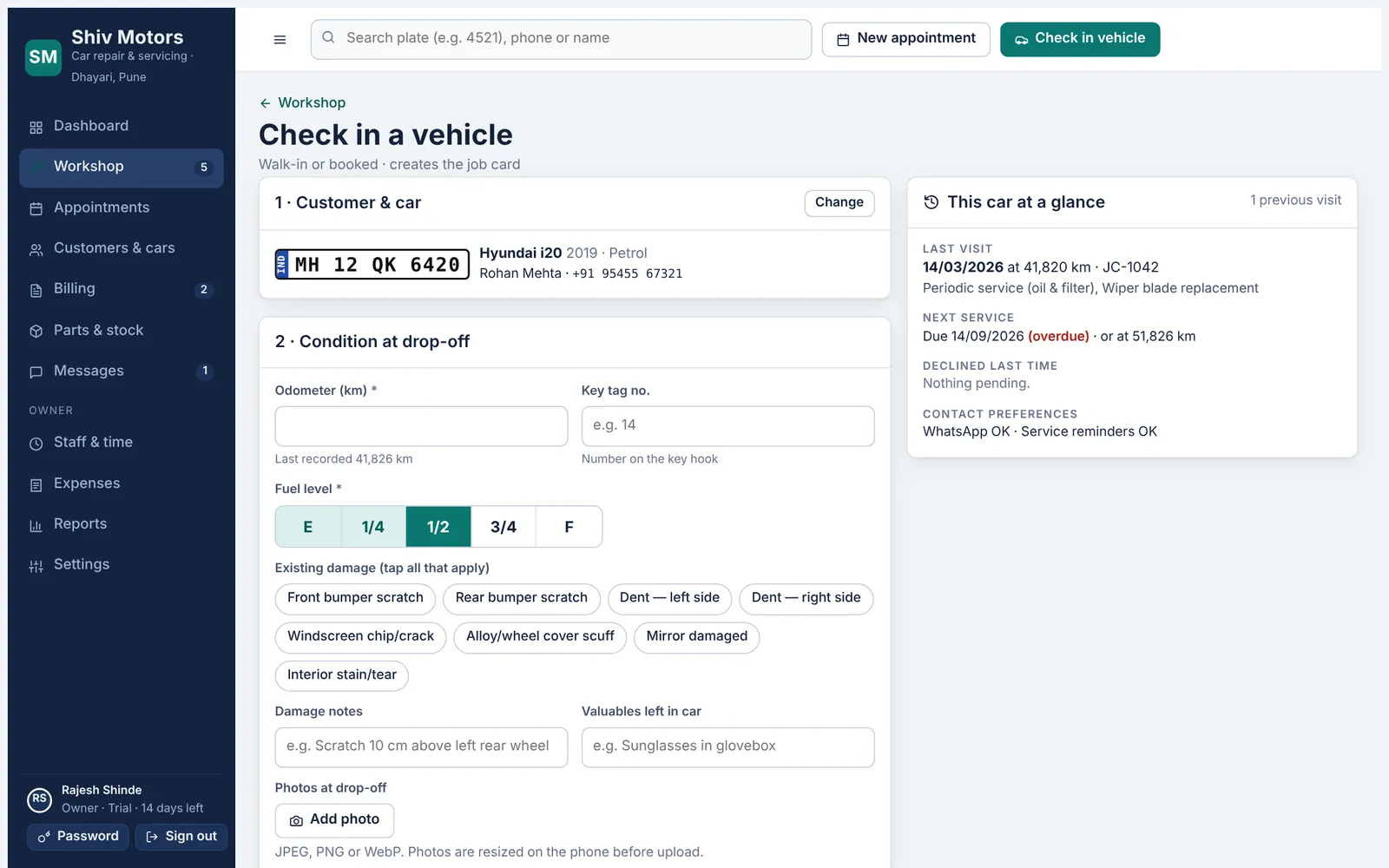
Find the car by the last four digits of its plate, the mobile number or the name. Record the odometer, fuel level, existing damage, valuables and photos, write the complaint in the customer’s own words, set the promised delivery time and assign mechanics. The car’s history sits next to the form so you see last visit, overdue service and work they declined last time.
Included in every plan, from Starter up.
What you can do
Fast search
Type 4 digits of the plate or part of the phone number. New customer and car are added in the same form.
Condition at drop-off
Odometer, fuel gauge, damage chips, damage notes and valuables left in the car.
Photos
Take photos on the phone. They are resized before upload to save data.
Promised time
Set the delivery date and time. Late jobs are flagged on the dashboard.
Car at a glance
Last visit, next service due, declined work and contact preferences, next to the form.
Comeback warning
If the car was delivered recently, you are told before quoting, so warranty rework is not billed by mistake.
How it works
- Search for the car or add a new customer and car.
- Record odometer, fuel, damage and photos.
- Add the complaints and the promised time.
- Assign mechanics and choose the inspection checklist. The job card opens.
Good to know
What if the odometer reading is lower than last time?
The app warns you. If the cluster was replaced or reset, tick the box to accept the lower reading.
Can I check in a car that already has an open job?
You are shown the open job card instead, so the same car is not checked in twice.
Does the customer get a copy?
Yes. Their private link shows the check-in time, odometer and the complaints you recorded.
Try vehicle check-in in your garage
Free for 14 days with every feature. Setup takes about ten minutes: add your mechanics, then check in a car.